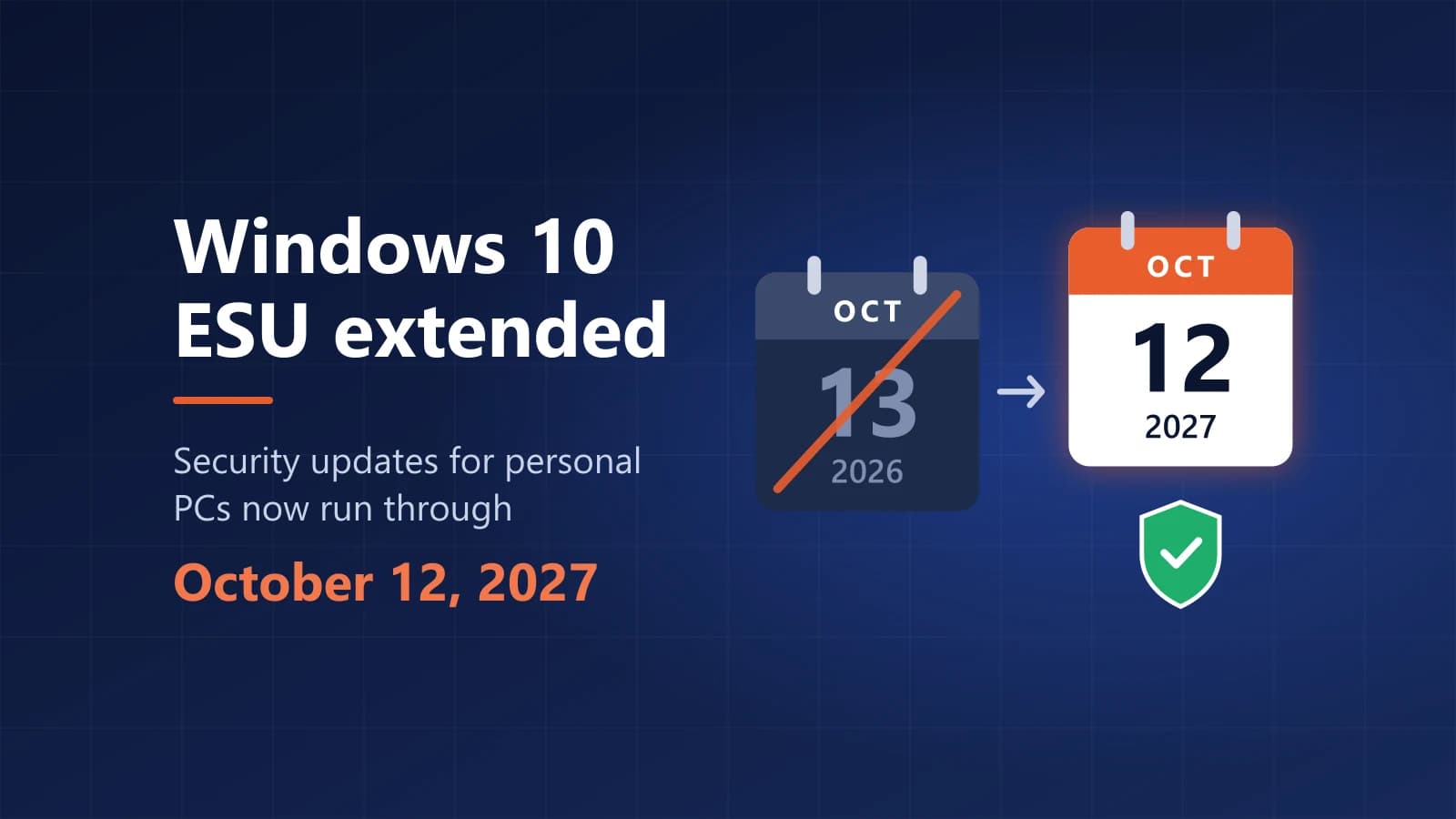
Short answer: the consumer Windows 10 Extended Security Updates (ESU) program now runs through October 12, 2027, not October 13, 2026. If your PC is already enrolled, coverage continues automatically and you do not need to do anything. If it is not enrolled, you can still enroll until October 12, 2027, for free or for a one-time $30.
Many guides still list October 2026 as the final deadline. Microsoft changed it in June 2026, so this page covers what changed, who can enroll, how to enroll, and what to do when the Enroll now link does not appear.
Windows 10 ESU at a Glance
- New end date: October 12, 2027, for personal Windows 10 PCs.
- Already enrolled: nothing to do. Your coverage carries over automatically.
- Not enrolled yet: go to Settings > Update & Security > Windows Update and select Enroll now.
- Cost: free with Windows Backup or 1,000 Microsoft Rewards points, or a one-time $30.
- What you get: critical and important security updates only. No new features, non-security fixes or technical support.
What Changed: ESU Now Ends October 12, 2027
Here is the timeline for personal Windows 10 PCs:
- October 14, 2025: Windows 10 reached end of support. Free monthly security updates stopped for PCs that are not enrolled in ESU.
- October 13, 2026: the original end date of the consumer ESU program. It no longer applies.
- June 25, 2026: Microsoft added an editor's note to its Windows Experience Blog saying consumer ESU is being provided for an additional year.
- October 12, 2027: the new end date. Enrolled PCs receive critical and important security updates until then.
Microsoft says the extra year gives people more time to move to Windows 11 while still receiving security updates. If Microsoft emailed you that your ESU coverage has been extended, that email is about this change. You do not need to reply or take any action.
Is My PC Already Enrolled?
Open Settings > Update & Security > Windows Update. An enrolled PC shows its ESU enrollment status on that page. If you see an Enroll now link instead, the PC is not enrolled yet.
If you paid for ESU, the purchase also appears in your Microsoft account's order history.
Who Can Enroll in Windows 10 ESU?
Your PC qualifies for the consumer program if all of these are true:
- It runs Windows 10, version 22H2, in the Home, Pro, Pro Education or Workstations edition.
- It has the latest Windows updates installed, including the ESU licensing preparation package that Microsoft lists as required (KB5126256).
- You sign in with an adult Microsoft account that is an administrator on the PC. Child accounts cannot enroll.
- It is a personal device. Consumer ESU cannot be used for commercial purposes.
Microsoft does not offer consumer enrollment on:
- PCs in kiosk mode.
- PCs joined to an Active Directory domain or to Microsoft Entra, or enrolled in a mobile device management (MDM) system. A PC that is only Microsoft Entra registered can still use the consumer program.
- PCs that already have an ESU license.
To check your version, press Windows + R, type winver and press Enter. The window should show Version 22H2.
How to Enroll in Windows 10 ESU
- Install every update that Windows Update offers, then restart your PC.
- Go to Start > Settings > Update & Security > Windows Update.
- Select Enroll now. If you normally use a local account, Windows asks you to sign in with a Microsoft account.
- Choose how to enroll: back up your PC settings with Windows Backup, redeem 1,000 Microsoft Rewards points, or make a one-time purchase.
- Follow the on-screen steps. When enrollment finishes, Windows Update starts offering ESU security updates.
If you already back up your PC settings with Windows Backup, Windows may simply prompt you to enroll without asking you to choose an option.
How Much Does Windows 10 ESU Cost?
There are three ways to enroll a personal PC:
- Free with Windows Backup: sync your PC settings to your Microsoft account.
- Free with Microsoft Rewards: redeem 1,000 Rewards points.
- One-time purchase: $30 USD, or the local-currency equivalent, plus applicable tax.
One ESU license covers up to 10 PCs. Add each extra PC from its own Windows Update page.
In the European Economic Area (EEA), the rules are different. Enrollment is free as long as you keep signing in to the PC with your Microsoft account. If you stop signing in with it, ESU updates stop after a period of up to 60 days and you have to enroll again. If you prefer a local account, you can pay the one-time $30 instead.
Enroll Now Missing or "Something Went Wrong"? Try These Fixes
Work through these checks in order. Restart your PC after each change, then look at Windows Update again.
- Check your version. Run winver. If it shows a version older than 22H2, install the 22H2 update from Windows Update first.
- Install all pending updates. The enrollment link appears only when the PC has the latest updates, including the ESU licensing preparation package (KB5126256). In November 2025 Microsoft also released an out-of-band update, KB5071959, to fix an enrollment wizard that failed on some PCs. Install it if Windows Update offers it.
- Sign in with the right account. Use an adult Microsoft account with administrator rights. On a child's PC, a parent who is an administrator on that device can complete enrollment.
- Check for work or school management. Open Settings > Accounts > Access work or school. If the PC is joined to a work or school domain or managed by an organization, the consumer program is not offered. Ask that organization's IT team about their own ESU plan.
- Wait and check again. The link does not always appear right after you fix a problem. If everything above is in order, restart, wait a day and check Windows Update again.
- Still stuck? Contact Microsoft support, or check whether your PC can upgrade to Windows 11 instead. Microsoft gives the same advice where ESU is not offered.
Avoid registry edits and activation scripts from forums or video tutorials. They can break updates or install unsafe software, and they are not a supported way to enroll.
What ESU Does Not Cover
ESU is a safety net, not continued full support. It does not include:
- New features or improvements.
- Non-security bug fixes.
- Technical support from Microsoft.
Your PC keeps working without ESU, but it stops receiving security fixes, which makes it more vulnerable to malware and attacks over time. Microsoft 365 apps are a separate case: Microsoft says they keep receiving security updates on Windows 10 for three years after end of support, until October 2028.
Should You Stay on Windows 10 Until 2027?
ESU buys you time. It does not replace a plan. Your main options are:
- Upgrade to Windows 11 for free. If your PC meets the minimum system requirements, Windows 10 Home upgrades to Windows 11 Home and Windows 10 Pro upgrades to Windows 11 Pro at no cost. Check your PC with Microsoft's PC Health Check app or look in Windows Update.
- Enroll in ESU and plan your move. This makes sense if your PC cannot run Windows 11 and you need time before buying new hardware.
- Move to a new PC. Most new PCs come with Windows 11 already activated. If you build a PC yourself or install Windows on a machine without a license, you need your own Windows 11 license.
Do not buy a key if your current PC can upgrade for free. A key is only needed when there is no license to carry over, for example on a self-built PC, or when you want to move from Windows 11 Home to Pro (our Windows 11 Home vs Pro comparison shows whether you need Pro at all). In that case, compare the two license types in our Windows 11 Pro OEM vs Retail guide, view the Windows 11 Pro OEM key on PingGM Store, and follow our Windows 11 Pro activation guide.
PingGM Blog is published by PingGM, which also runs PingGM Store, where Windows 11 Pro keys are sold.
What About Business and School PCs?
The October 2027 date applies to the consumer program for personal devices. Organizations use the separate commercial ESU program, which they buy through Microsoft volume licensing. It costs $61 per device for the first year, doubles each year, and runs for a maximum of three years after Windows 10 end of support.
Final Thoughts
If your PC is already enrolled, you are covered until October 12, 2027, with nothing to do. If it is not, enroll now. Two of the three options are free, and the enrollment window is open until the program ends. Then use the extra year to check whether your PC can run Windows 11, and plan the upgrade before October 2027.
Sources Checked
- Windows 10 Consumer Extended Security Updates (ESU) — Microsoft
- Windows 10 Consumer ESU, EEA version — Microsoft
- Stay secure with Windows 11, Copilot+ PCs and Windows 365 before support ends for Windows 10 (editor's note, June 25, 2026) — Windows Experience Blog
- End of support for Windows 10 — Microsoft
- Extended Security Updates (ESU) program for Windows 10 — Microsoft Learn
- How to use the PC Health Check app — Microsoft Support
- Microsoft quietly extends free Windows 10 ESU support to October 2027 — BleepingComputer
- Broken wizard forces Microsoft to issue out-of-band Windows 10 patch — The Register