Short answer: Error 0xC004C003 means your product key is blocked. Microsoft marks a key as not valid when it was used, or someone tried to use it, on more than one device, so you need a key unique to your PC: contact whoever sold it. Error 0xC004F213 ("Windows reported that no product key was found on your device") means Windows can't match a license to your hardware, usually after a motherboard change. Run Troubleshoot on the Activation page or re-enter the key you used before.
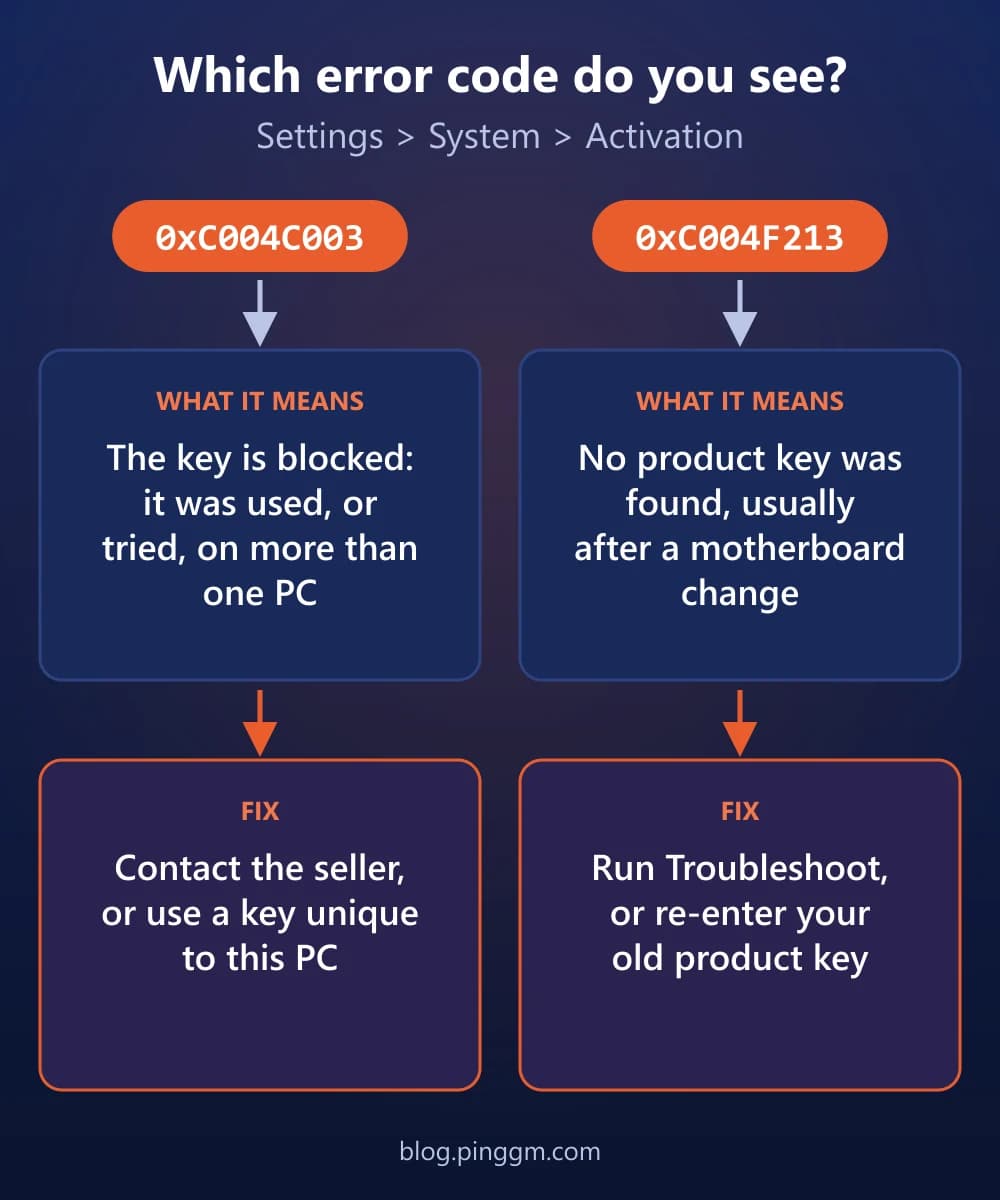
0xC004C003 vs 0xC004F213
| Category | 0xC004C003 | 0xC004F213 |
|---|---|---|
| What it means | The product key is blocked: it was used, or tried, on more than one device | No product key was found that matches this device |
| Common triggers | A second-hand or shared key, a Home to Pro upgrade key, a repair, a new PC | A new motherboard, a BIOS update, a reset or reinstall |
| Fix it yourself? | Rarely: you need a key unique to this PC | Usually: the troubleshooter or your previous key |
| Who to contact | The seller, the PC manufacturer or the repair shop | The PC manufacturer if Windows came preinstalled |
| Category | 0xC004C003 | 0xC004F213 |
|---|---|---|
| What it means | The product key is blocked: it was used, or tried, on more than one device | No product key was found that matches this device |
| Common triggers | A second-hand or shared key, a Home to Pro upgrade key, a repair, a new PC | A new motherboard, a BIOS update, a reset or reinstall |
| Fix it yourself? | Rarely: you need a key unique to this PC | Usually: the troubleshooter or your previous key |
| Who to contact | The seller, the PC manufacturer or the repair shop | The PC manufacturer if Windows came preinstalled |
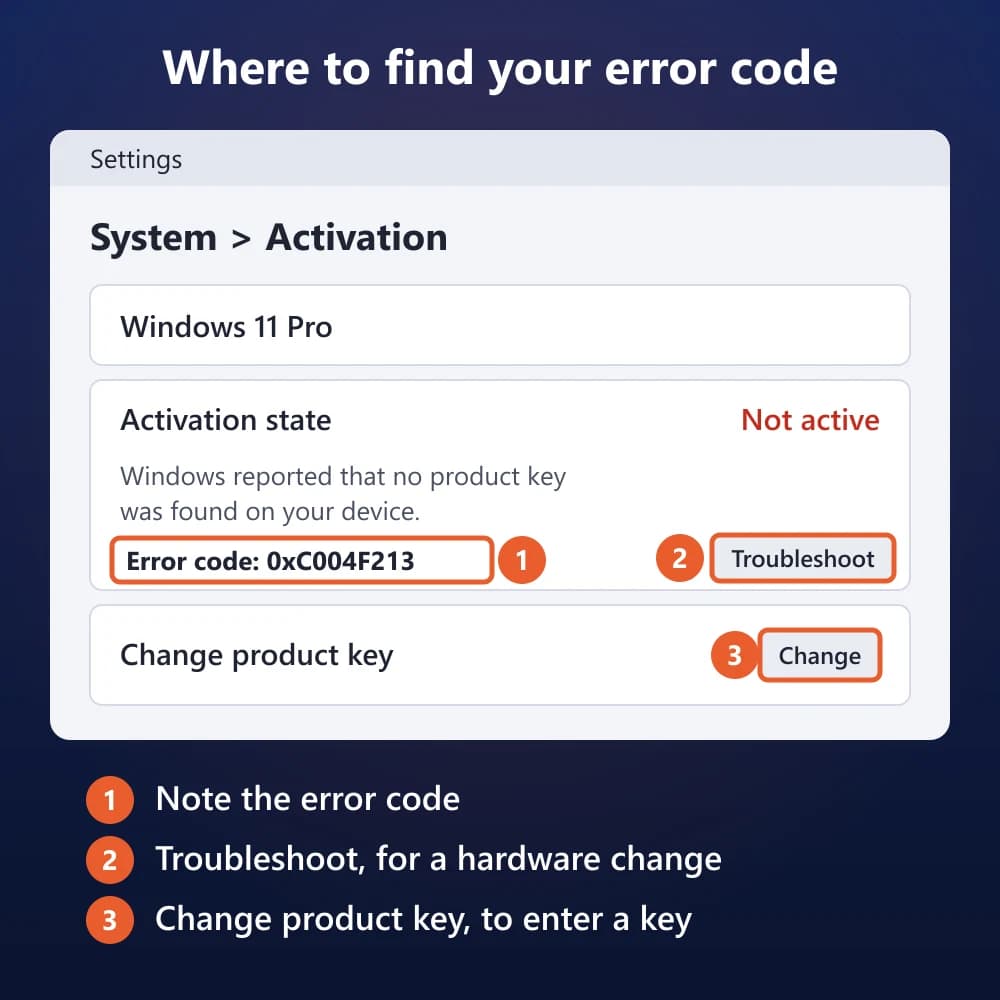
Where to Find Your Error Code
Open Start > Settings > System > Activation (on Windows 10: Settings > Update & Security > Activation). The code appears under Activation state, next to the Troubleshoot button.
What Does Error 0xC004C003 Mean?
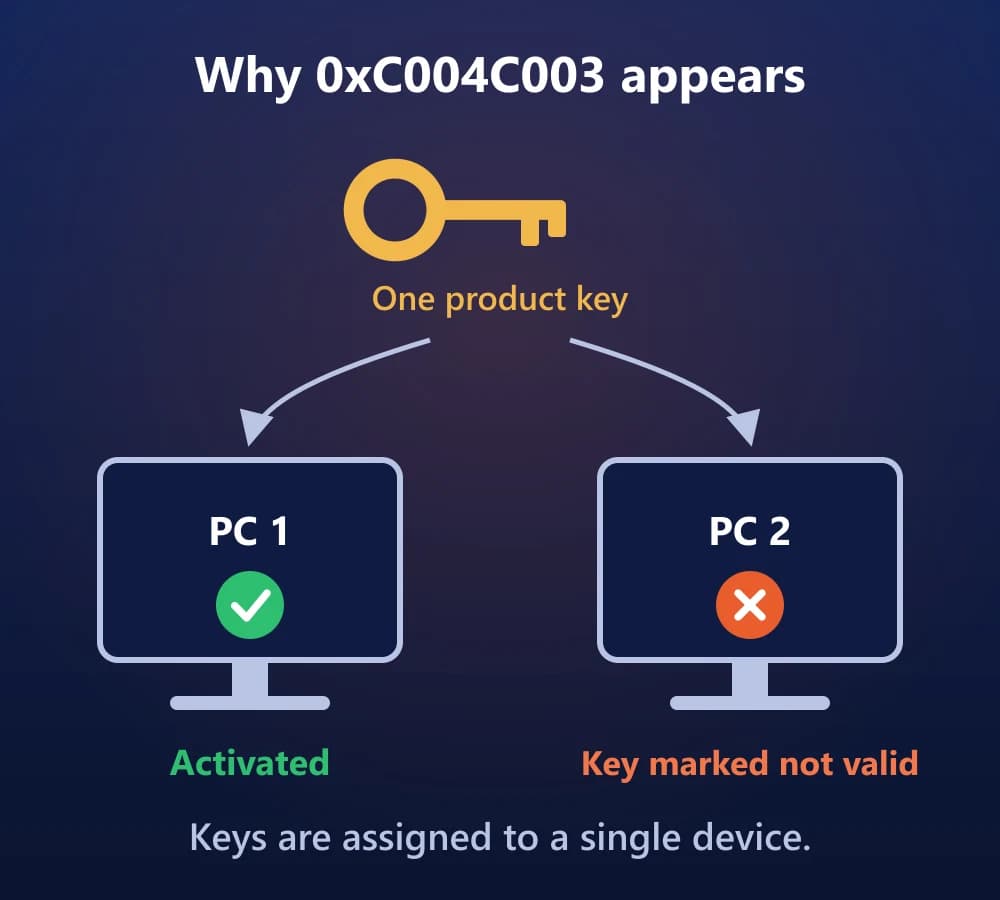
Error 0xC004C003 means Windows rejected your product key as not valid. According to Microsoft, product keys are unique and assigned for use on a single device. If a key was used, or someone tried to use it, on more than one device, the activation server marks it as not valid. On volume-activated work or school PCs, the same code reads "The activation server determined the specified product key is blocked."
0xC004C003The product key you entered isn't valid.
- Cause: the key was used, or tried, on more than one device.
- Fix: a key that is unique to this PC, from whoever supplied it.
Common Causes of 0xC004C003
- The key is already in use on another PC. This includes second-hand keys and keys shared between computers.
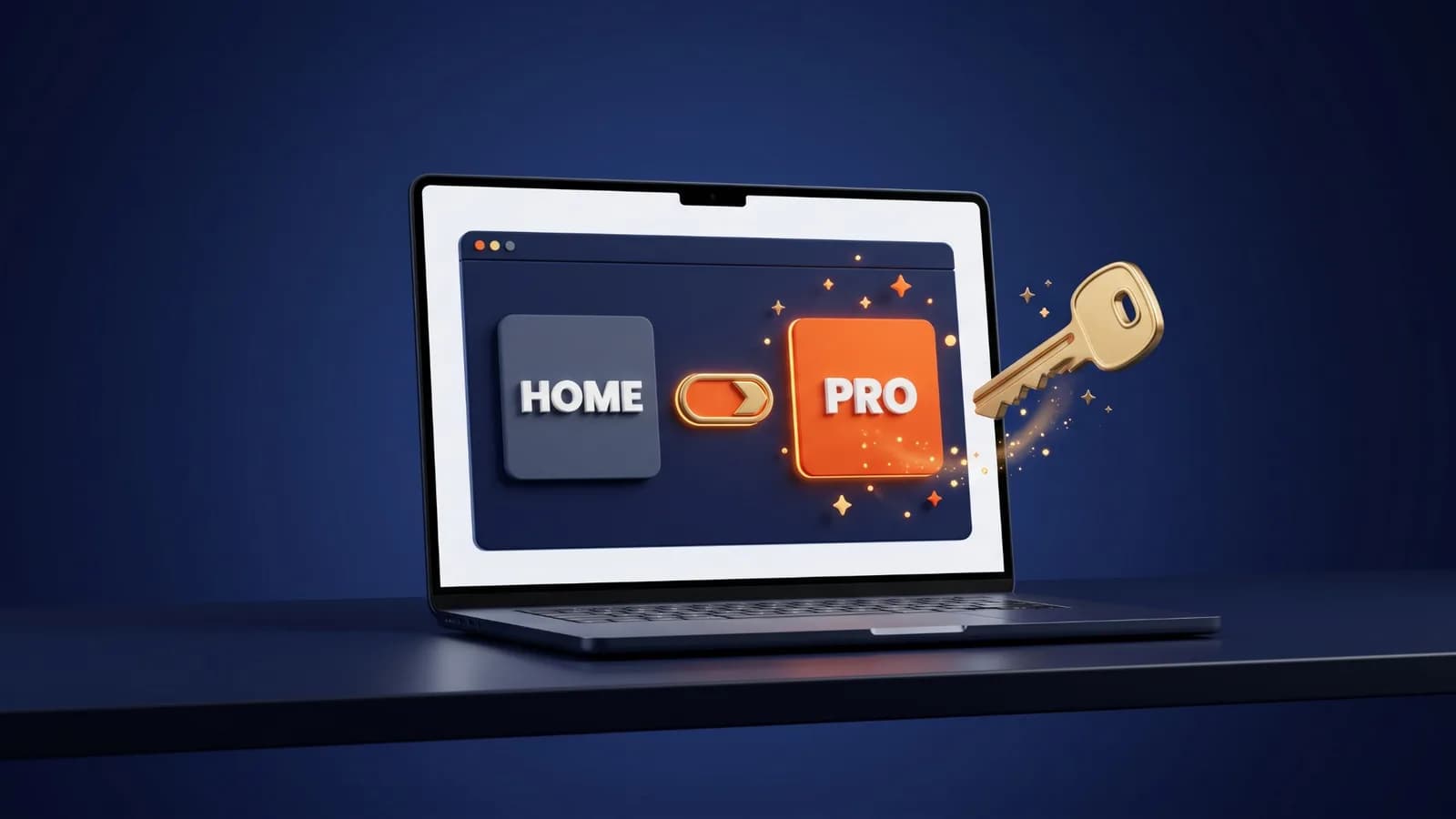
- You entered a key to upgrade Home to Pro and that key had already been used elsewhere.
- Your PC was just repaired at an independent shop.
- A new PC shows the error the first time you turn it on, which is a problem for the manufacturer to fix.
- A work or school PC's volume key (MAK) was blocked, which only the organisation can replace.
How to Fix Error 0xC004C003
Work through these in order
- Bought the key from a reseller? Contact the reseller. Microsoft says to do this when you expected the key to be valid.
- New PC with Windows preinstalled that showed the error the first time you turned it on? Contact the PC manufacturer.
- Run the Activation troubleshooter: Settings > System > Activation > Troubleshoot.
- Look for a paper copy of your 25-character key (a COA card or the box) and enter it under Change product key.
- Just had the PC repaired at an independent shop? Ask them whether the repair needs a new Windows 11 license.
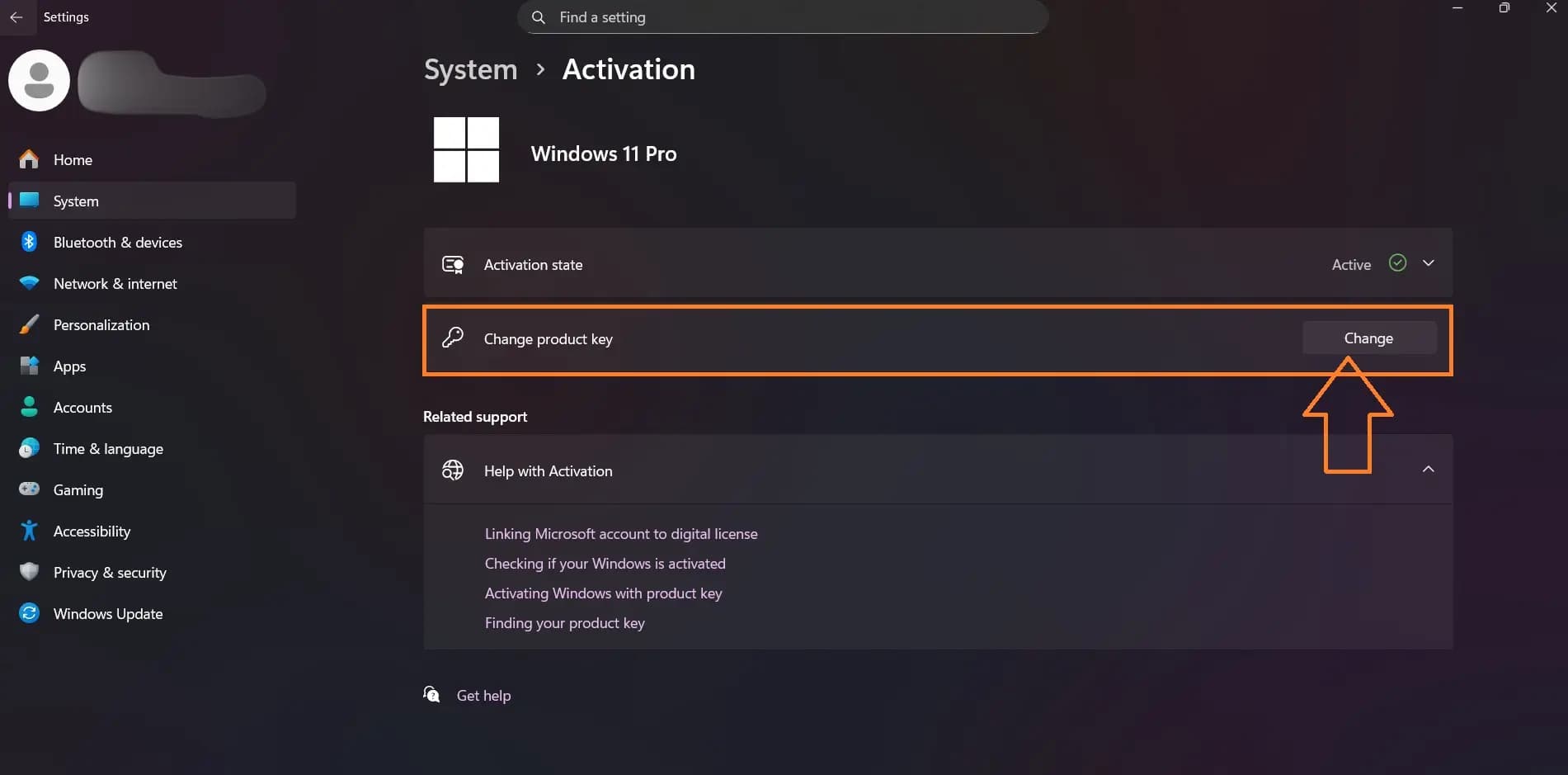
To enter a different key, select Change next to Change product key:
Skip "fixes" that tell you to run activation scripts or KMS tools. They don't make a blocked key genuine, and many come from untrusted sites.
Seeing 0xC004C003 right after entering a key to move from Home to Pro? The same rule applies. Our Home to Pro upgrade guide covers the other upgrade errors.
What Does Error 0xC004F213 Mean?
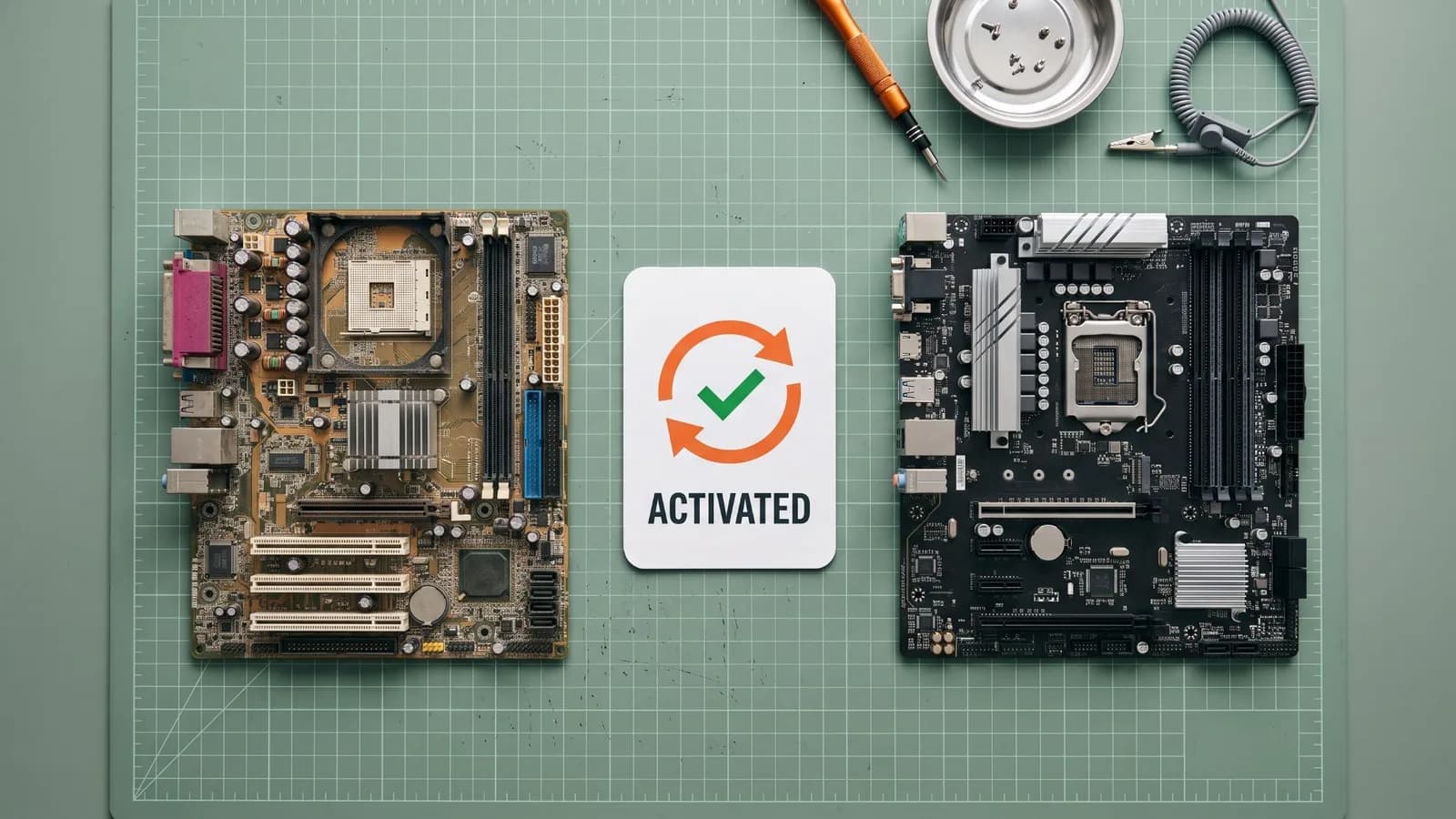
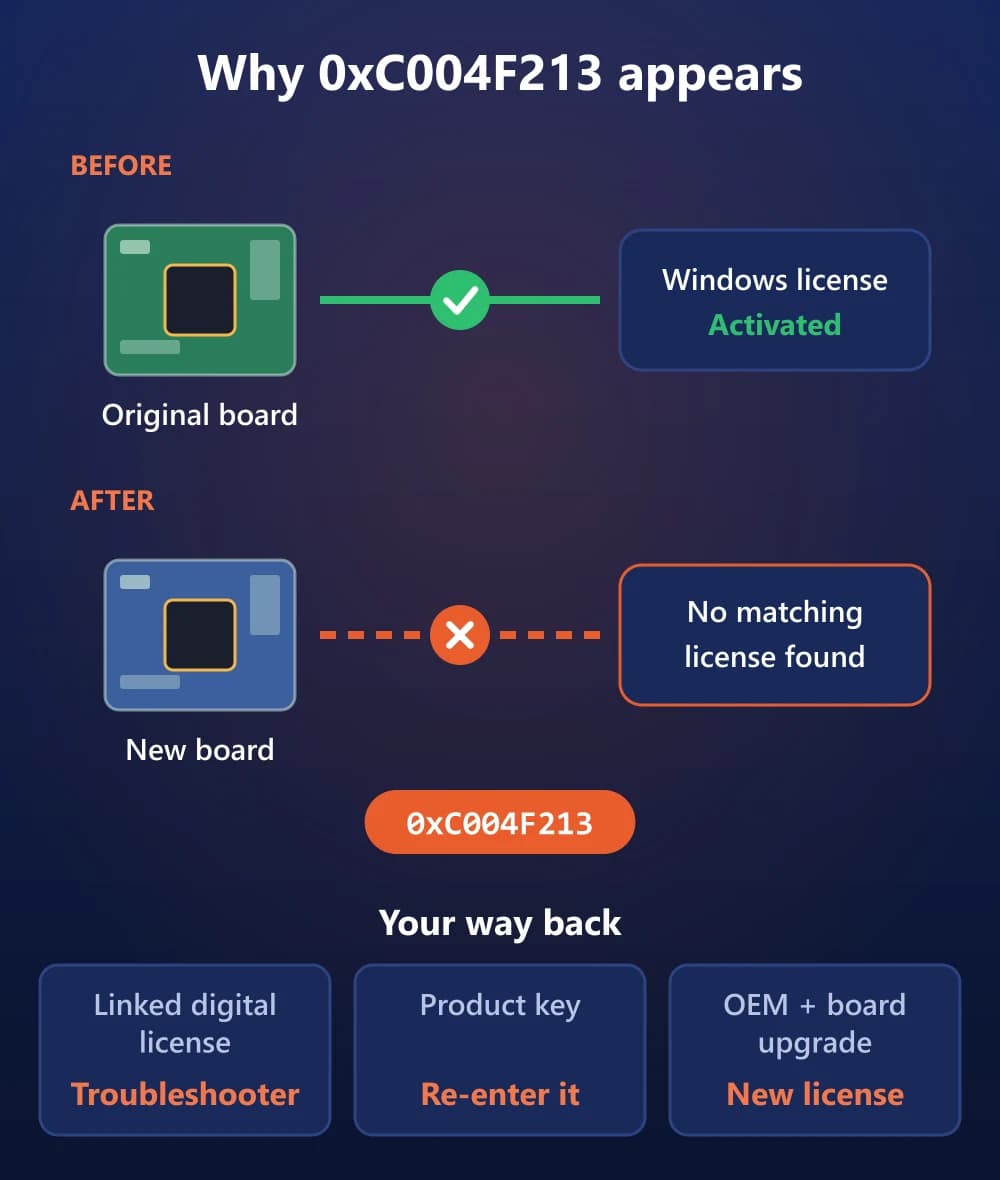
Error 0xC004F213 appears as "Windows reported that no product key was found on your device." Microsoft explains that a Windows license is associated with your device's hardware. After a significant change, such as replacing the motherboard, Windows can't find a license that matches the device when it restarts. If Windows came preinstalled and you replaced the motherboard, Microsoft says you may need to buy a new license.
0xC004F213Windows reported that no product key was found on your device.
- Cause: Windows can't match a license to the hardware, usually after a new motherboard.
- Fix: the Activation troubleshooter for a linked digital license, or the key you used before.
How to Fix Error 0xC004F213
Fix 1: Use the Activation Troubleshooter
This works only if you linked your Microsoft account to the digital license before the hardware change.
- Go to Settings > System > Activation and select Troubleshoot.
- Select I changed hardware on this device recently, then Next.
- Sign in with the Microsoft account linked to the license.
- Check This is the device I'm using right now.
- Select Activate.
If the troubleshooter can't fix it, Microsoft says it shows a link to reactivate after a hardware change. Follow that link.
Fix 2: Re-Enter the Key You Used Before
Had a product key on this PC before the change? Select Change next to Change product key and enter it again. Microsoft says the key may be in your purchase confirmation email, in the packaging, or on the Certificate of Authenticity (COA) attached to the PC. If online activation still fails with a valid key, type SLUI 04 in the taskbar search and follow the phone activation steps.
Fix 3: Buy a New License (OEM After a Board Upgrade)
If Windows came preinstalled and you upgraded the motherboard, you may need a new license. Microsoft's OEM rules treat a motherboard upgrade as a new PC. Replacing a defective board with the same model, or the manufacturer's equivalent, keeps the license. Our hardware change guide covers repairs and other part upgrades in more detail.
0xC004F213 After an Update, BIOS Update or Reinstall
Microsoft's activation pages don't list Windows updates or BIOS updates as causes of 0xC004F213, but users on Microsoft Q&A report it after both. If you didn't change any hardware, work through these steps:
- Restart while connected to the internet, then check the Activation page again.
- Run Troubleshoot. After a BIOS update, choose I changed hardware on this device recently.
- Check the edition. Microsoft says Windows won't activate if your license doesn't match the installed edition, so a Home license won't activate Pro, and a Pro license won't activate Home.
- Re-enter your product key if you activated with one.
- On a PC that came with Windows, contact the manufacturer if none of this works.
After a reset or reinstall: with a digital license, reinstall the same edition and choose I don't have a product key during setup. Microsoft says Windows then activates online automatically once installation finishes. Our clean install checklist covers the setup screens.
Do These Fixes Work on Windows 10?
Yes. Microsoft's activation-errors page lists 0xC004C003 and 0xC004F213 for Windows 10 with the same causes and fixes. Use Settings > Update & Security > Activation instead of the Windows 11 path. If you're still on Windows 10, see what changed with Windows 10 ESU.
Who to Contact About Your Key
| Category | Contact | Have ready |
|---|---|---|
| Windows came preinstalled | The PC manufacturer | Error code, PC model, COA key if you have one |
| Key bought from a reseller | That seller | Order number, the key, error code |
| PC repaired at an independent shop | The repair shop | Ask if the repair needs a new license |
| Windows bought from Microsoft | Microsoft Support | Your Microsoft account, error code |
| Work or school PC | Your IT administrator | Error code (volume keys are managed by the organisation) |
| Key bought from PingGM Store | PingGM Store support | Order number, error code |
| Category | Contact | Have ready |
|---|---|---|
| Windows came preinstalled | The PC manufacturer | Error code, PC model, COA key if you have one |
| Key bought from a reseller | That seller | Order number, the key, error code |
| PC repaired at an independent shop | The repair shop | Ask if the repair needs a new license |
| Windows bought from Microsoft | Microsoft Support | Your Microsoft account, error code |
| Work or school PC | Your IT administrator | Error code (volume keys are managed by the organisation) |
| Key bought from PingGM Store | PingGM Store support | Order number, error code |
PingGM Blog is published by PingGM, which also runs PingGM Store, where Windows 11 Pro keys are sold.
Bought your key from PingGM Store? Contact PingGM Store support ([email protected], replies usually within 24 hours) with the error code. The Store's Refund & Return Policy explains how key issues are handled. Need a key unique to this PC? You can view the Windows 11 Pro OEM key.
Final Thoughts
The two codes look alike but need opposite moves. 0xC004C003 is about the key, so the fix comes from whoever supplied it. 0xC004F213 is about your hardware or edition, so the troubleshooter or your old key usually brings activation back. Before your next motherboard swap or BIOS update, link your Microsoft account to your license so the troubleshooter can find it.
Sources Checked
- Get help with Windows activation errors — Microsoft Support
- Reactivating Windows after a hardware change — Microsoft Support
- Activate Windows — Microsoft Support
- Find your Windows product key — Microsoft Support
- Troubleshoot Windows activation error codes — Microsoft Learn
- Licensing FAQ (OEM motherboard replacement) — Microsoft Device Partner Center
- Lost Windows activation after BIOS update (community thread) — Microsoft Q&A
- 0xC004F213 after a Windows update (community thread) — Microsoft Q&A